
For Business owners and teams with an online bottleneck that standard tools or templates do not solve
Custom systems
Build the automation, workflow, or runtime your business needs
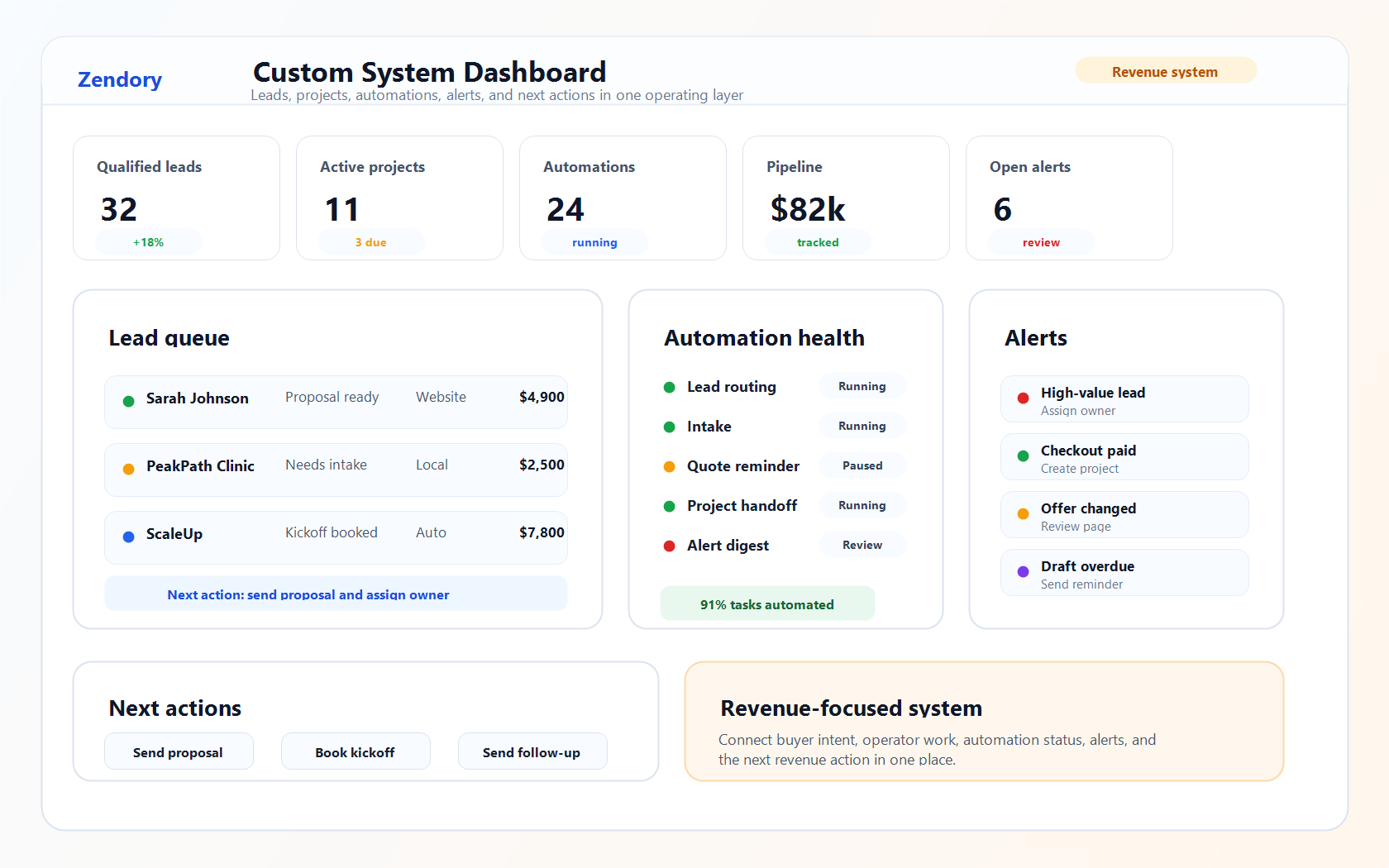
Zendory helps scope and build custom online work: forms, checkout handoffs, automations, AI-assisted workflows, dashboards, client portals, hosted monitors, and owner handoffs stitched into one practical build.
Use it for Building websites, forms, checkout paths, automations, AI workflows, online tools, and runtime layers
You get A scoped plan, working build, or retained runtime support depending on system maturity
Discovery Sprint is the first paid step for most buyers. Move into build or runtime support when the workflow, handoff, tooling, or owner model is clear.
Pricing
Choose the custom engagement that matches how much is already clear
Use Discovery Sprint when the build needs scoping. Use Custom Build when the automation, AI workflow, runtime, internal tool, or handoff path is ready to ship.
one-time diagnostic
Discovery Sprint
$750
Best when the upside is real and you want the easiest paid first step before a larger build.
- Revenue or operator bottleneck diagnosis
- System map with source-of-truth inputs
- Scope, runtime, and tooling recommendation
- Clear build proposal with next-step economics
- Sprint fee credited toward a build when you continue right away
Best first purchase when the buyer needs a smaller yes before the larger engagement.
scoped build
Custom Build
From $2,500
Best when the workflow is clear and the value comes from shipping the automation, AI workflow, dashboard, internal tool, or runtime system instead of debating it for weeks.
- Capture, enrichment, monitoring, handoff, or workflow layer
- Operator-facing outputs and internal decision paths
- Automation, AI workflow, and hosted runtime setup
- Runbook, SOP, and handoff instructions
Best after Discovery Sprint because the system map is already done.
handoff-focused build
Runtime Partner
From $1,250
Best when the job is launching or maintaining a self-running website workflow, automation, AI process, or monitor with alerts, fallback checks, and a clean handoff.
- Recurring jobs and hosted automation wiring
- Health checks and failure alerts
- Admin guide, SOP, and handoff instructions
- Async walkthrough assets for internal owners
Best when you want the recurring system launched and documented instead of paying for indefinite support.
Optional proof step
Free Build Fit Check
Use the free check when you want a quick read on whether the automation, AI workflow, internal tool, runtime, or operating layer is worth scoping before a Discovery Sprint or build.
Rules-first preview with one clear signal and a clean next step if you want to go deeper.
- Rules-first build bottleneck preview
- One visible systems-fit signal before paid scoping
- Clear next step if you want deeper custom-systems work
Use Custom Systems when
The upside justifies building the experience, workflow, or operating layer
Make it obvious whether this is the right lane or whether the buyer should stay with Reports or Monitoring first.
Who it's for
Operators with a recurring bottleneck worth paying to remove
Use this lane when the problem has a clear owner and repeated cost: missed signal, slow response, inconsistent packaging, or too much manual work.
What it's for
Build the buyer path or operating layer after the diagnosis is clear
Custom Systems packages capture, routing, handoff, AI workflows, runtime, dashboards, and operator outputs into one scoped build.
What you receive
A scoping path, a working build, or retained runtime support
The buying model changes with workflow maturity, but the outcome stays tangible: system map, live build, or runtime ownership.
Not for
Buyers who mainly need a standard report or generic advice
If Reports or Monitoring already solve the need, those are the better first purchases. This lane is for workflows that need to be built and owned.
What can be built
Custom Systems can cover the website buyers touch and the workflows behind it
The lane is broader than one automation build. These are the kinds of online experiences, AI workflows, and systems that can be scoped, shipped, and run for business teams.
Complex Website Workflows
Use this lane only when the website needs custom backend logic, portals, dashboards, routing, or integrations beyond the fixed-price Website Builds scope.
Custom Forms + Intake
Create branded intake, qualification, scoring, enrichment, and routing flows so each lead starts with better context.
Custom Checkout + Payment Flow
Shape the purchase path, plan selection, qualification questions, confirmation state, and post-payment handoff around the actual offer.
Prospecting + Enrichment Pipelines
Collect target accounts, enrich them, filter them, and package them into outbound-ready workflows.
Competitor Alerts + Market Watch
Build dedicated competitor monitoring and alert systems beyond the standard product cadence.
CRM + Follow-Up Automation
Trigger reminders, pipeline routing, stage updates, and internal handoffs without manual ops drag.
Internal Agent Workflows
Use AI agents for research, packaging, review, QA, routing, drafting, and operator support inside one business workflow.
Online Tools + Client Portals
Create lightweight calculators, upload flows, dashboards, client portals, or internal tools when a static website is not enough.
Output contract
The deliverables are named before the project starts
Each custom lane resolves into a concrete plan, build scope, runtime manifest, and handoff instead of a vague consulting artifact.
System map and scoped build plan
Scope + system map
A visible model of the signal, decision, and runtime layers so the scope, owner, and next move are easy to understand.
Working build and live setup
Working build
Pages, forms, checkout steps, jobs, monitors, packaging flows, or operator tools that actually run instead of living as a theoretical recommendation.
Runbook, handoff, and ownership plan
Runtime ownership
A clearer way for the team to keep using the system after delivery, with support available when the runtime needs ongoing care.
Capabilities
What Zendory can package in a custom engagement
The goal is not to sound broad for its own sake. The goal is to show the kinds of buyer-facing and operator-facing systems that can be scoped and owned credibly.
Workflow builds
Build the capture, routing, review, reporting, and handoff paths that turn repeated manual work into a clearer operating flow.
Custom forms and handoff flows
Create intake, qualification, routing, payment handoff, and internal follow-up logic when generic tools create friction.
Hosted runtimes and recurring monitors
Stand up recurring monitors, enrichment jobs, report layers, or alerting systems so the workflow keeps running.
Broad automation shop, scoped properly
Simple builds and complex automation are both possible, but each engagement stays scoped around one owner, one outcome, and the online workflow that needs to work.
How the system comes together
Three layers instead of one vague build promise
Custom systems make more sense when the buyer can see the front-end experience, decision logic, and runtime layers separately.
Buyer experience layer
01Connect the buyer path to the operating layer
Use Custom Systems when the form, checkout handoff, routing, or internal owner model needs more than a fixed website package.
Decision layer
02Route the right inputs to the right owner
Package form submissions, purchases, signals, summaries, notes, or dashboards so the team can respond with less manual sorting.
Runtime layer
03Launch it to run on its own
Use hosted jobs, recurring monitors, fallback alerts, and handoff docs so the workflow does not fall back to manual work after launch.
Buying path
Start with the custom path that matches what is already clear
Most buyers are deciding between three things: scope the workflow, ship the build, or launch the runtime with handoff.
Start here
Which custom path should you buy first?
Discovery Sprint is the first purchase when the workflow still needs scoping. System Build is for clear implementations. Runtime Partner is for live workflows that need launch, checks, and handoff.
| Feature | Discovery Sprint | System Build | Runtime Partner |
|---|---|---|---|
| Best as the first purchase | |||
| Scope the workflow before building | |||
| System map and architecture | |||
| Working build shipped | |||
| Hosted jobs or monitors launched | |||
| Operator handoff and SOP | |||
| Health checks and alerts | |||
| Live runtime ownership | |||
| Sprint fee credited toward build |
Example engagements
Concrete build examples are better than vague consulting language
01 Build a custom checkout process when the standard purchase path adds friction, misses qualification, or needs a clearer post-payment handoff.
02 Create a custom form or intake flow that captures the right details, scores the request, routes it, and triggers the next step.
03 Create an AI-assisted workflow that researches, drafts, reviews, routes, or packages work without hiding the human approval step.
04 Build a competitor-monitoring system that detects pricing, offer, and CTA changes and ships operator-ready summaries.
05 Create a niche prospecting pipeline that collects targets, enriches them, filters them, and hands off clean CSV or system-ready output.
Good fit
- You can point to a recurring workflow bottleneck tied to revenue, market response, or operator leverage
- You need a personalized workflow, checkout handoff, intake process, dashboard, or follow-up system instead of another generic tool
- You need more than one deliverable stitched into one operating flow
- You want a working system with ownership, not a deck of advice
Not a fit
- You mainly need one product from the standard catalog
- You want vague automation brainstorming without a specific operating problem
- You want a full-service agency replacement or indefinite retained support instead of a scoped build
Next step
Use standard products first when they fit. Use custom systems when the fix needs a personalized build
If a report or monitoring plan already solves the problem, keep it simple. Use this lane when the buyer needs the page, form, checkout path, workflow, or machinery around the product.
Article cluster
Read the systems articles that qualify custom work
These pieces should only push buyers into custom systems when the real bottleneck is the operating layer itself, not a simpler report or monitoring need.
Custom Website Automation Service For Businesses
How to evaluate a custom website automation service when your site, forms, checkout, follow-up, and internal handoff need to work together.
Custom Checkout Flow Builder For Online Offers
When to build a custom checkout flow for service packages, audits, retainers, subscriptions, deposits, and online offers that need more than a payment button.
AI Workflow Automation Consultant For Business
How to decide whether you need an AI workflow automation consultant, what to automate first, and why the best projects keep humans in the approval path.
Other products
If custom work feels too heavy, these are the smaller lanes
Custom Systems should stay the higher-touch option. These two give buyers a simpler way to start when the problem is still mostly about insight or monitoring.
Website Builds
Use the fixed-price website lane when the main job is a landing page, service site, checkout path, quote flow, or booking path.
See Website BuildsReports
Use the one-time report first when the real need is competitor clarity, better positioning, or a sharper next move.
See ReportsMonitoring
Use monitoring when the baseline exists and the main job is recurring change detection rather than a custom workflow.
See Monitoring